VoteClash — Broadcast Manager · May 2022 – Jan 2026
Built and operated the OBS stack and studio for scheduled competitive events, including high-traffic restream nights. Domi also trained operators on that system.
Remote 1:1 · Done-with-you · Not software
Lag. Muddy mic. Chaos on screen.
Domi joins you live and fixes OBS and related production problems on your machine — encoder stability, audio mix, overlays, card-break flow — until you can run it alone. One rate: $200 per hour.
Services
Common production issues handled in a live remote session — not a course, pack, or growth audit.

If the stream looks fine in preview but drops frames or disconnects live, Domi tunes encoder, bitrate, resolution, and scene load to your hardware and upload — then verifies under load before you leave.
When voice sits under game audio, or levels sound right in headphones but wrong on stream, Domi sets gain, EQ, noise gate, and routing so the output mix holds.
If someone else built the scene collection and it is no longer safe to touch, Domi audits and cleans scenes, sources, hotkeys, alerts, plugins, and chat tools in OBS, Streamlabs, or Stream Elements, and explains each change as it is made.
When a purchased overlay pack shows locally but not on the broadcast, Domi corrects Browser Source sizing, transparency, refresh, and cache so assets render on output.
If breaks depend on hunting for the right camera live, Domi structures camera angles, scene order, break sequence, and hotkeys so you can call the break on cue.
If the setup “works” but has never been checked, Domi reviews config and hardware, then leaves a written priority list of fixes.
Audio
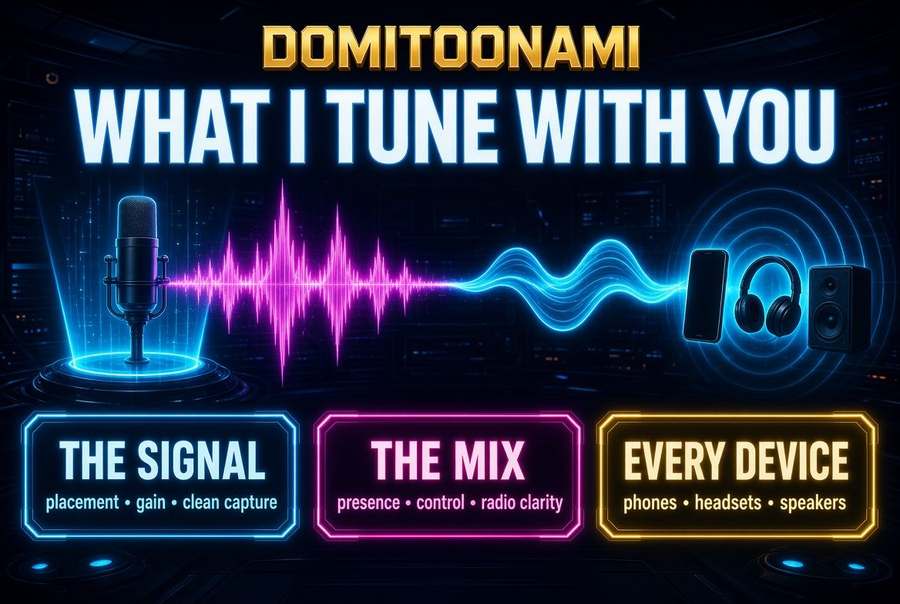
Mic placement and gain, the broadcast mix, and how you sound on phones, headsets, and speakers — fixed live on your gear so you keep the presets.
Process
Scope → live session → handoff. You leave able to run the setup yourself.
Proof
Prior broadcast and 1:1 work. Past results are context, not a forecast for your channel.
VoteClash — Broadcast Manager · May 2022 – Jan 2026
Built and operated the OBS stack and studio for scheduled competitive events, including high-traffic restream nights. Domi also trained operators on that system.
Helsinki Fashion Show · Live event broadcast
Fashion event that needed a clean live stream with no room for on-air failure. Domi handled broadcast setup and ran the stream through the show. The event streamed as scheduled.
Gojjii eSports — 1:1 OBS sessions · Repeat 1:1 work
Players had capable PCs and broken OBS configs, each failing differently. Domi ran remote sessions per player covering scenes, encoder, audio, and overlays on their own machines. The organization publicly credited that setup work.
Public review history: 5.0 (210); OBS 4.9 (165). ~1 hr reply. 10+ years stream and tech help.
Ratings, dates, and portfolio details reflect publicly stated work history. Past results on other channels are not a promise of views, followers, income, or reach.
Rate
$200 / hour
$200 per hour. Most first sessions: 1–2 hours.
Larger builds get an hour estimate before you commit.
$200/hour is the same rate for every client — focused session time, not a course, pack, or subscription.
Book a session
Fill this short form, then pick a time on Domi’s calendar. Form notes copy to your clipboard so you can paste them into the booking notes. Or join Discord first.
For scheduling chatter and quick questions before a session.
To: dominic.j.black@gmail.com
Subject: Book Domi OBS help — $200/hr
Most first sessions are 1–2 hours. Full builds take longer. You get an hour estimate before you commit. You pay for session time, not the estimate.
Use the PC you stream from. Have OBS or Streamlabs ready, with mic, camera, and capture gear connected. Have logins and overlay files or links on hand. Close anything you do not want on screen share. If the issue only shows under load, note when it starts. No need to tidy the setup first.
United States hours, including evenings that often work for Europe and parts of Asia-Pacific. Send your timezone and two windows. If none fit, you get a straight no.
No. Default is screen share while you drive. Remote control is available if you want it, agreed first, and can be stopped anytime on the call.
Often yes. Many drop and stutter issues are settings, not hardware. If the PC cannot hit the target, you get that assessment and upgrade priorities in session.
No. You get technical work: stable stream, correct mix, a setup you can run. Audience growth is outside this service.
Hourly consulting only. No subscription, no software product, no account on this page. Payment details come after scope and hours are set.
Optional context so Domi can look up your setup before the session. Nothing from the form is stored on this site — required fields just unlock Domi’s calendar booking page.
Say so on the call. You get what’s left, whether another hour closes it, and when the blocker is outside the setup (platform limit, failing part, ISP).
$200 per hour. Scope first. Hours confirmed. Session ends when you can run the setup yourself.
Typical reply within about an hour during US hours.